Using FrankenPHP with DDEV


Introduction
The PHP ecosystem is changing fast, with tools like FrankenPHP improving both performance and developer experience.
FrankenPHP is now officially supported by The PHP Foundation.
This guide explains how FrankenPHP can be used with DDEV using ddev/ddev-frankenphp add-on.
Generic web server
This blog shows an example of the recently added DDEV’s generic web server, which supports flexible configurations. It allows you to use any custom web server you want, including Node.js, Python, Ruby, etc.
DDEV FrankenPHP Add-on
The ddev/ddev-frankenphp add-on is now officially maintained by the DDEV team! It has matured to production-ready status with full feature support.
⚙️ Installation:
ddev add-on get ddev/ddev-frankenphp
ddev restart
Install pre-packaged extensions using the php-zts- prefix (see supported extensions):
# install mongodb and sqlsrv extensions
ddev config --webimage-extra-packages="php-zts-mongodb,php-zts-sqlsrv"
ddev restart
✨ Features:
- Supports PHP 8.2+
- Install any PHP extension (Redis, Xdebug, Memcached, etc.)
- Custom FrankenPHP options supported
- Worker mode supported for maximum performance
- Full debugging support:
ddev blackfire,ddev xdebug,ddev xhprof,ddev xhgui
If you want to suggest some feature or found a bug, feel free to open an issue.
Resources
- FrankenPHP documentation
- DDEV’s generic web server
- FrankenPHP add-on
- FrankenPHP Static PHP Package Repository
- Hola FrankenPHP! Laravel Octane Servers Comparison: Pushing the Boundaries of Performance
Benchmarking
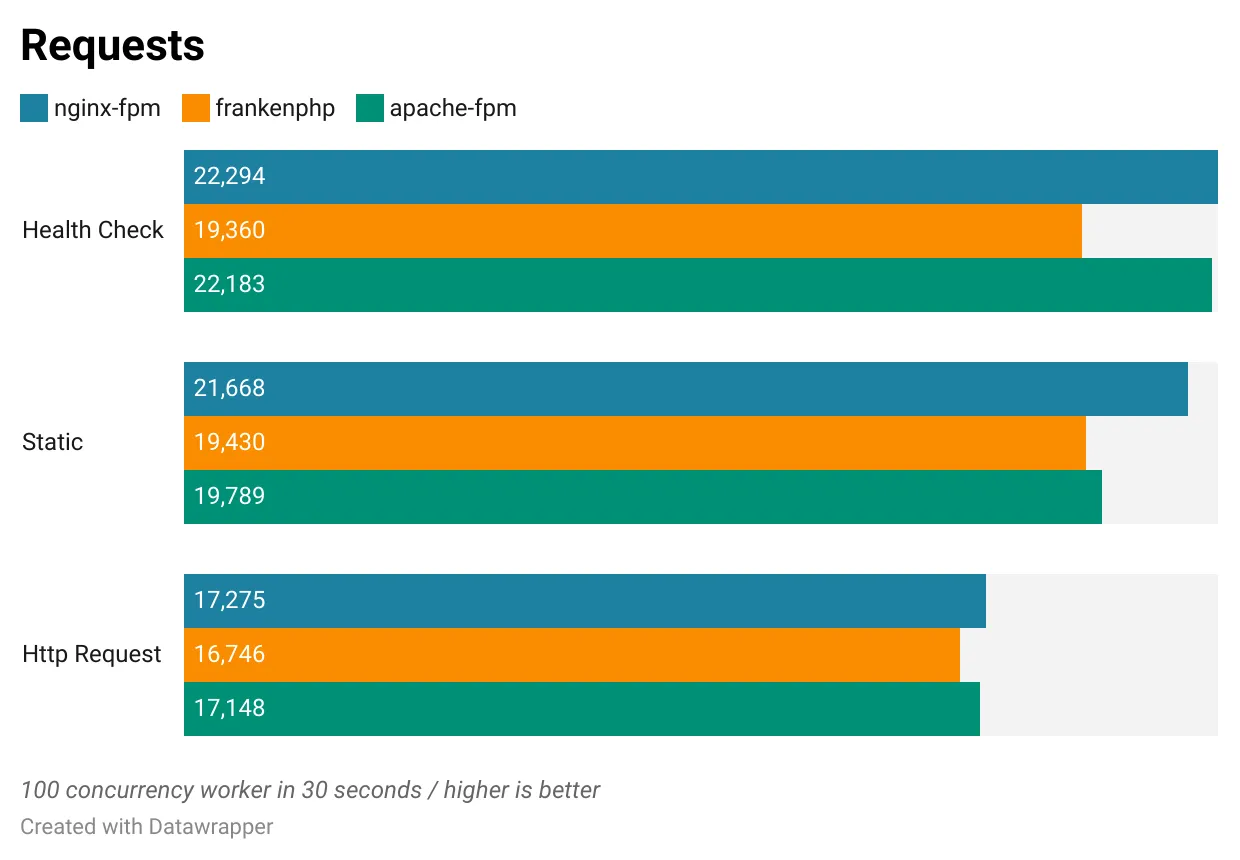
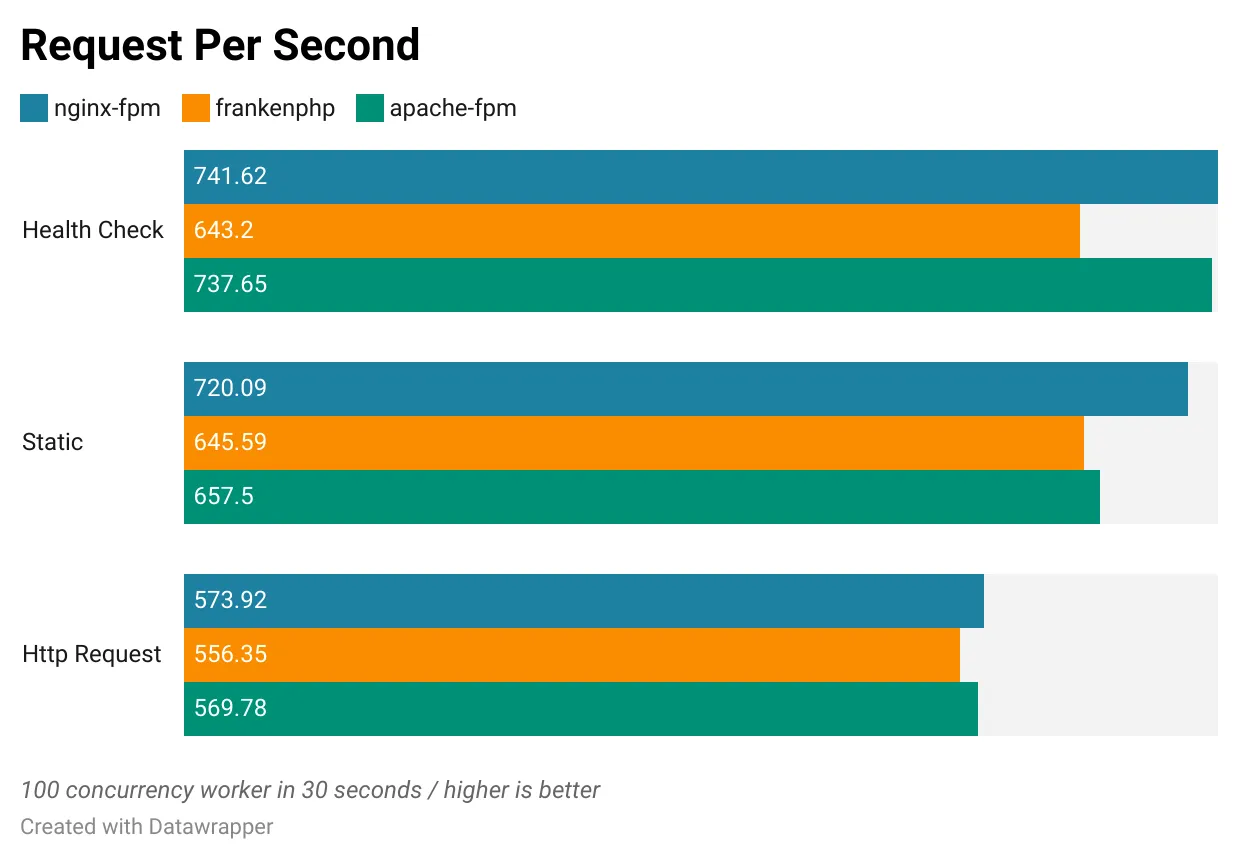
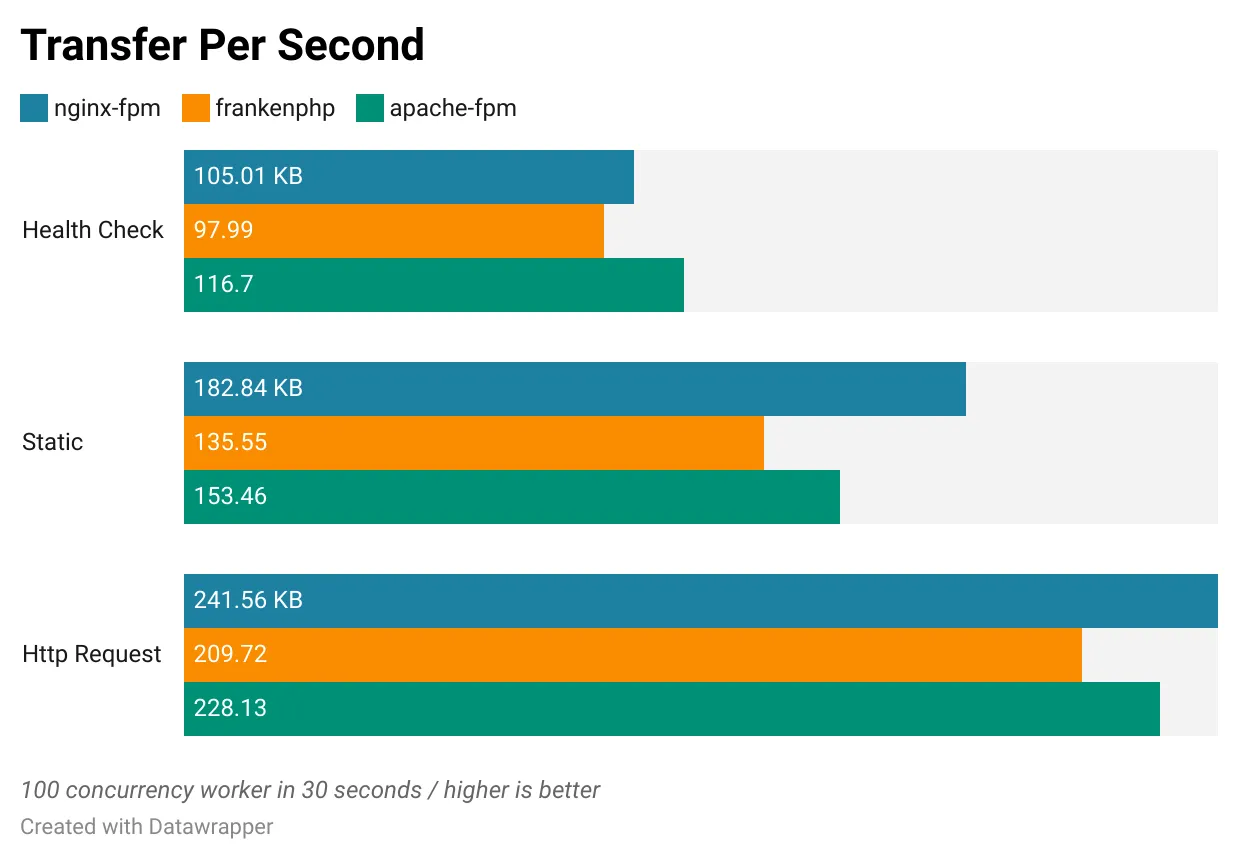
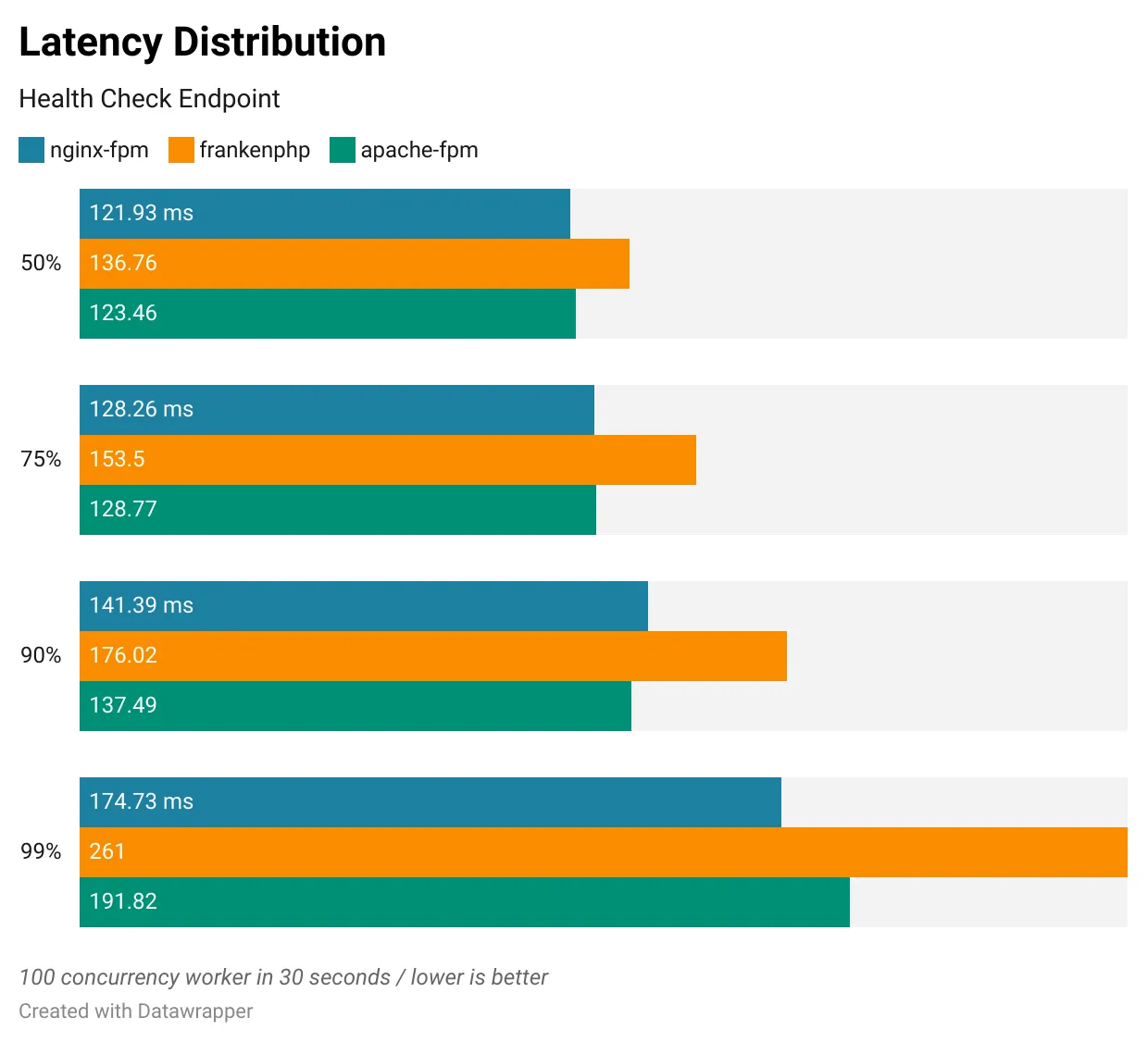
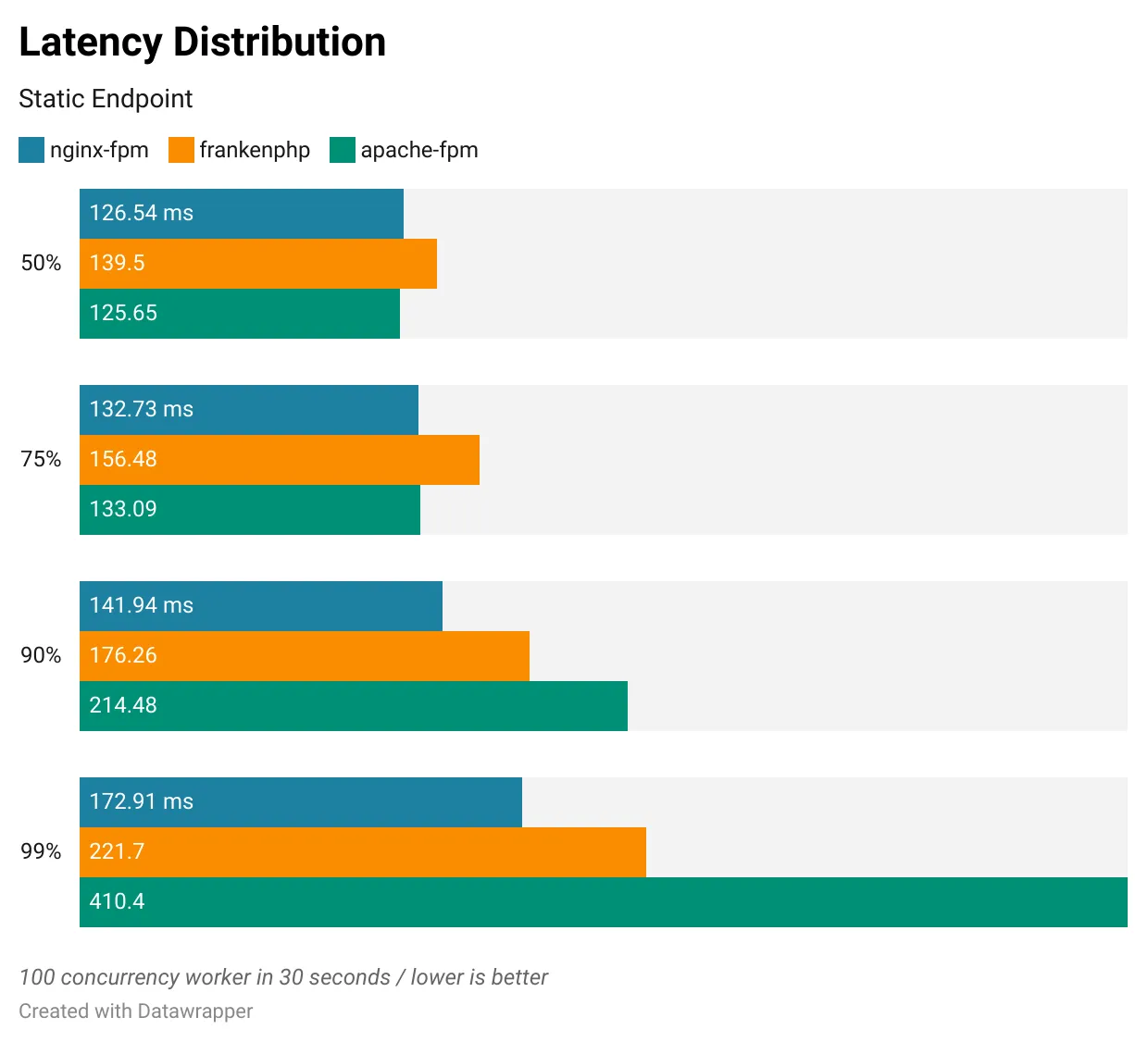
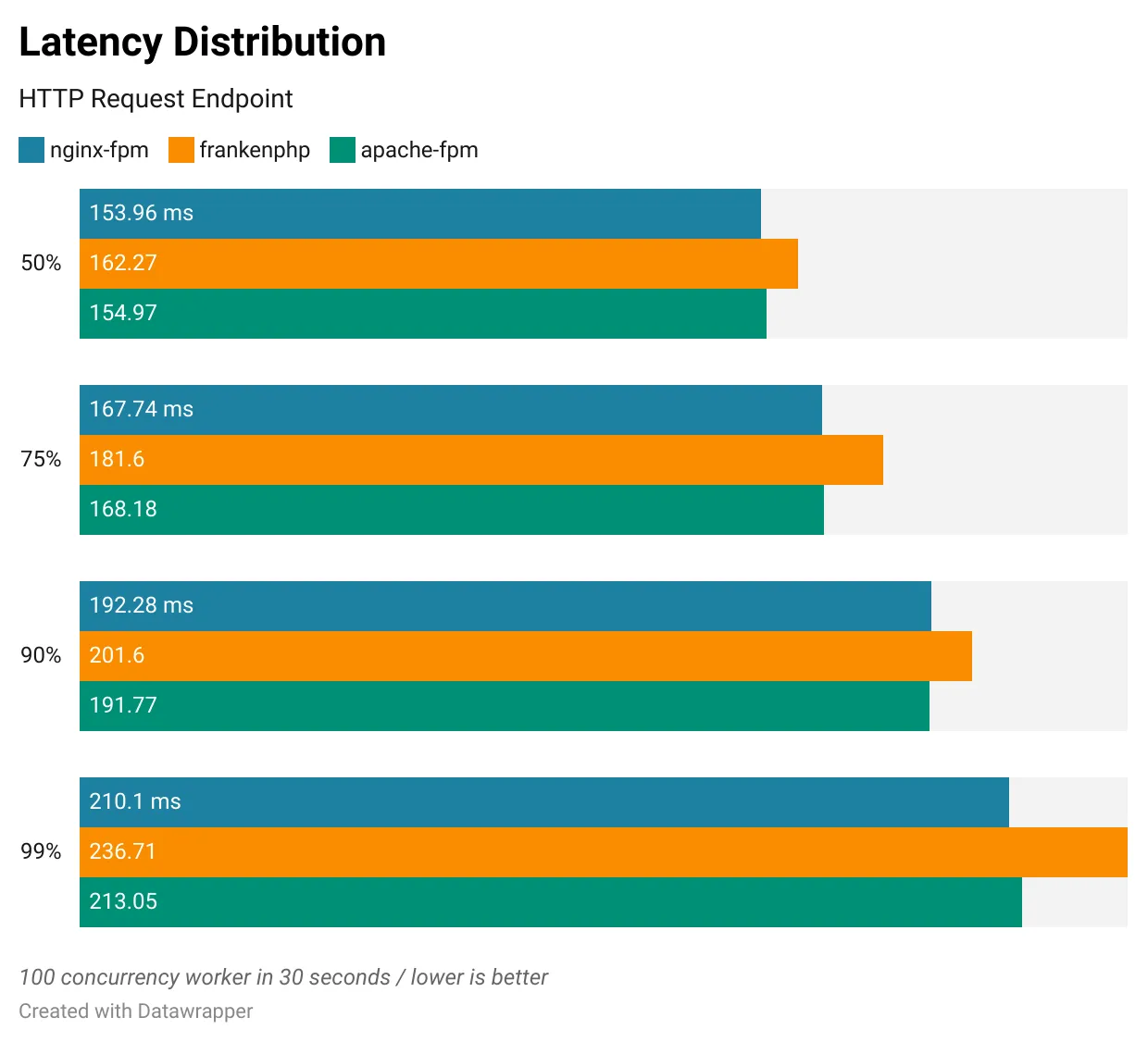
Using ddev-frankenphp-benchmark, I compared three setups:
nginx-fpm: DDEV’snginx-fpmweb server withphp-fpmfrankenphp: DDEV’sgenericweb server withfrankenphpapache-fpm: DDEV’sapache-fpmweb server withphp-fpm
Summary:
- All configurations delivered comparable and adequate performance.
- FrankenPHP is a win where there is an upstream hosting environment using FrankenPHP.
- Benchmarks used default DDEV settings, not production-optimized configurations.
- Laravel Octane (FrankenPHP worker mode) was not used and could yield better results.
- CPU and memory usage were not measured.
Benchmarking Results
Software:
DDEV: v1.24.10
Mutagen: disabled
PHP: v8.4
Laravel: v12.44.0
FrankenPHP: v1.11.1
Docker Engine: v29.1.3
Operating System: Manjaro Linux AMD64
Kernel Version: 6.12.63-1-MANJARO
Hardware:
Intel i7 8750H (6 Core/12 Thread, 2.2 Ghz, Turbo 4.1 Ghz)
32 GB DDR4 2667 Mhz
Samsung 870 Evo SSD (530w/560r MB/s)
If you find DDEV (and its add-ons like FrankenPHP) useful, consider supporting its development. Thank you!